

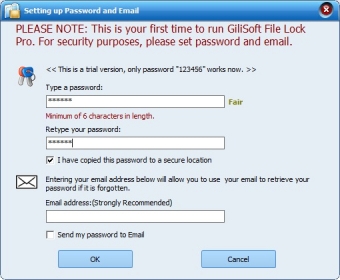
File protection is more of a necessity than a luxury nowadays. Data theft, both locally and remotely, is sadly becoming common practice. GiliSoft File Lock Pro offers you an easy-to-implement and use solution that can hide and protect files, folders, disks, and drives, both in local and external drives, with a unique high-security password.
All you need to think of is a password. And only once, as you can use the same password for all protection, hiding, and locking operations. The program offers differentiated routines for local and external disks, and that’s the only precaution you need to take when selecting the items to protect. Unlocking any of your locked items is just as simple – just key in your unique password and the file, folder, or disk will become usable again.
GiliSoft File Lock Pro comes a set of extra utilities designed to enhance its already high level of protection. You can monitor a folder of your choice and be notified every time something changes in it. The program’s File Shredder will allow you to delete any file or folder for good, making it impossible for any unwelcomed guest to recover your discarded data. Its new extension, Disk Wiper, will let you remove permanently all data from an entire disk. If you want to add an extra level of protection to your locked or hidden files or folders, you can encrypt them using the AES algorithm and save them as a GFL file or an executable EXE file that you can open in any computer. more





Comments (4)
I was under the impression that I would see the locked folder and then just enter the password created in File Lock Pro to open the folder and see its content. It also hides the locked folder on my own PC as well.
Of course, it creates an EXE file and with this I can unlock it but if I want to use it in a different way, this is no use for me.
Example: If I want to hide a folder in a purpose to protect it to avoid some people to see the locked folder when using a video player app on my iPad with a SMB/CIFS access, I just don't see the locked folder and I can't open an EXE file with an iPad!
What's wrong?